Creating and Editing Data Lecture Video
An Introduction to Creating and Editing Data, looking at the Sketch tools, functions to Import Tabular Data, and methods to Georectify Images.

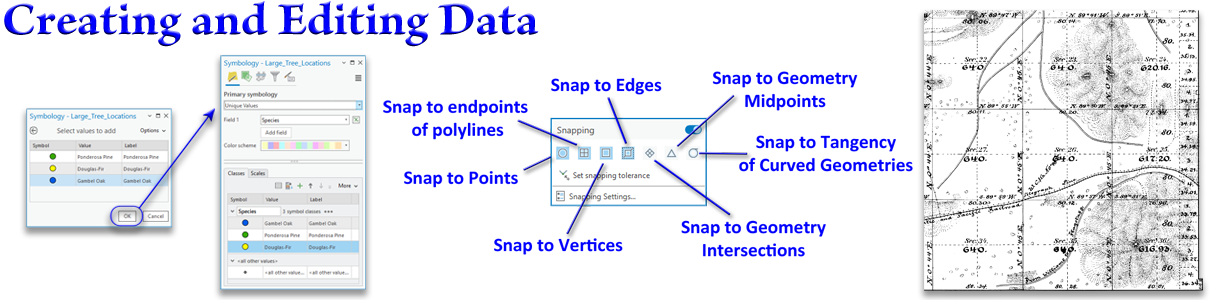
GIS is no fun at all without actual data to play with. Despite the many sources of data available, there are still many times where you just need to create the data yourself. This is especially the case when you are doing research, or developing ideas for the landscape that people haven't tried before.
This lecture will show you how to use the ArcGIS Pro Sketch tools to draw (aka "digitize") vector features on the landscape. We will also look at how to import a table of coordinates into a true point feature class, and how to convert that to a polyline feature class. Finally we will learn how to georectify an old hand-drawn map of the San Francisco Peaks area into a real raster spatial dataset.
All the lab exercises are presented in the document Creating and Editing Data: Lecture Notes and Lab Exercises. Remember, the lab exercises are where you really learn the material, so take advantage of them! I'm here and excited to answer any questions you have, or help out if you get stuck on anything. Walk-through videos of all the lab exercises are on the lab exercise videos page.
An Introduction to Creating and Editing Data, looking at the Sketch tools, functions to Import Tabular Data, and methods to Georectify Images.
Video walk-throughs of all 7 lab exercises
Here are notes that tell you what I hope you learn from each slide, and step-by-step instructions on how to do the lab exercises. You need to download this one to do the lab exercises!
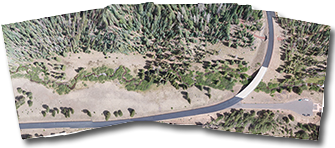
A real-world example of aerial imagery that is more difficult (and more interesting) to georectify than the General Land Office map you georectified in Lab Exercise 7.
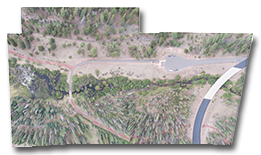
Another real-world example of aerial imagery that is more difficult (and more interesting) to georectify than the General Land Office map you georectified in Lab Exercise 7.