

Fuse Plots and Field
Summary
Combines a field (boundary) polygon layer and a research-plot polygon layer into one feature class in which every piece of ground carries exactly one treatment rate. The research plot polygons themselves are cut out of the original field polygon, so there are no overlapping features.
The research plot polygons carry their own treatment rate from their original feature class, and the surrounding field polygon either has a standard treatment rate applied or takes it from an existing field in the field feature class. If the treatment polygons were created with the Plot Designer tool, then the treatment rates for each plot were assigned at that time and are available in the Rate attribute field that the tool created.
Selections are honored on both layers. The output carries Rate, Source (Field or Plot), Plot_FID and Field_FID, plus the plot layer's own attribute fields. Fuse Plots and Field is a port of the Fuse Plot and Boundary Feature Class tool of the CropCentric ArcGIS tools that Jeff Jenness built with Matt Wiebers for ArcMap (Jenness and Wiebers 2018).
Usage
What it makes. Each field polygon (a map layer's selection honored) is kept as its own feature, carrying its rate; nothing is dissolved, so two field polygons with the same rate stay two features. Every plot is then subtracted from the field polygons, as geometry differences, so no Advanced license is needed, and the plots themselves are appended with their own rate. Field remainders that vanish entirely under the plots are dropped.
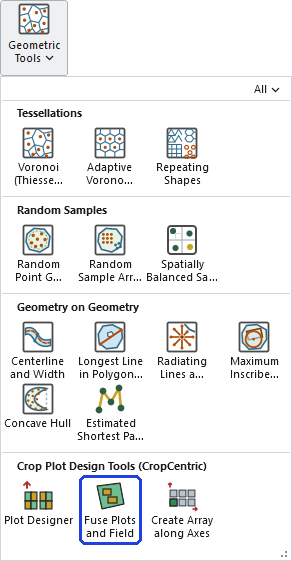
Rates. Each plot's rate comes from the plot rate field (Rate for plots from the Plot Designer); a plot with an empty value gets the standard rate, or 0 when there is none, with a warning. Ground from the surrounding field is assigned rate values from the field rate field where it has a value, and the standard rate otherwise; give one of them or both.
Attributes. Rate (double), Source (Field or Plot), Plot_FID (the plot's ObjectID; −1 for field ground) and Field_FID (the field polygon's ObjectID; −1 for a plot), followed by the plot layer's own attribute fields, blank on field ground, unless the copy is switched off. Field names are shortened for shapefiles.
Coordinate systems. The output uses the field layer's coordinate system, or the Output Coordinate System environment when it is set; plots in another coordinate system are projected into it with the datum transformation the environment chooses. True-curve polygons are densified first.
A worked example
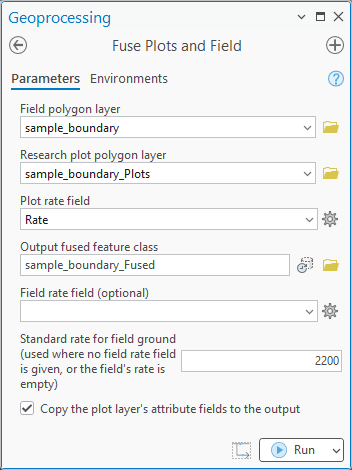
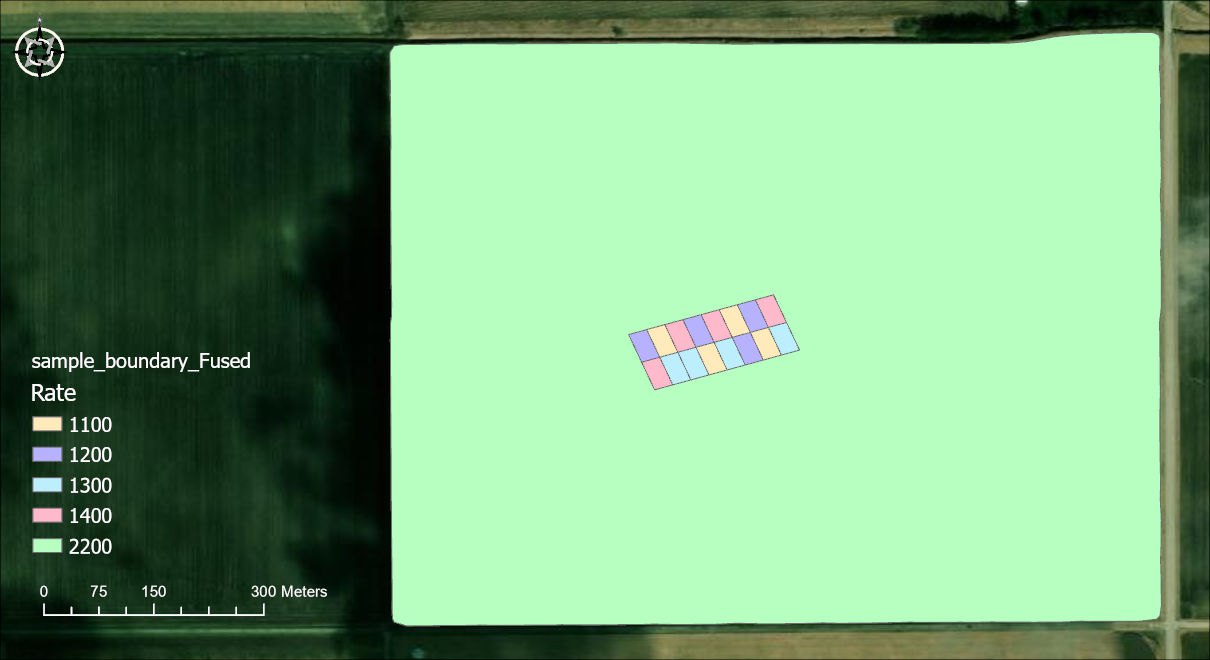
We have some test plots that we created in the field with the Plot Designer tool: four replicates of four plots, each replicate a 2 by 2 array, with treatment rates of 1100, 1200, 1300 and 1400 for the four plots of every replicate. In the Fuse tool we combined these with the original field polygon and set a standard rate of 2200 for the field itself.
Here is the output. Every piece of ground carries exactly one rate: each plot keeps its own, and the field around them is 2200.
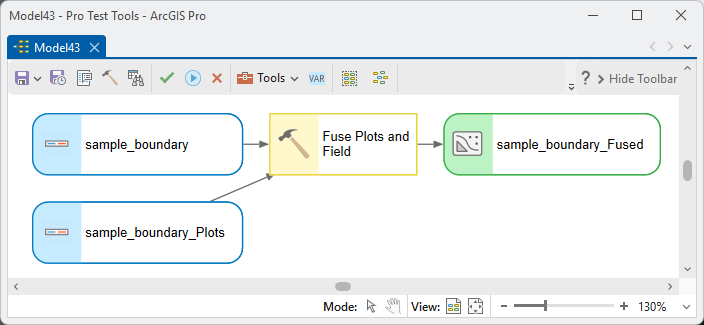
In ModelBuilder the two layers feed the tool and the fused feature class comes out:
Parameters
| Label | Explanation | Data type |
|---|---|---|
| Field polygon layerRequired · field_layer | The field or boundary polygons. A map layer's selection is honored. | Feature Layer |
| Research plot polygon layerRequired · plot_layer | The research plots, from the Plot Designer or any polygon layer. A selection is honored. | Feature Layer |
| Plot rate fieldRequired · plot_rate_field | The numeric field of the plot layer holding each plot's rate. A field named Rate is picked automatically. | Field |
| Output fused feature classRequired · out_fc | The fused polygons: the field polygons with the plots cut out, plus the plots, each with its rate. A geodatabase feature class or a shapefile. | Feature Class |
| Field rate fieldOptional · field_rate_field | A numeric field of the field layer holding the rate of field ground. Where it is empty the standard rate is used. | Field |
| Standard rate for field groundOptional · standard_rate | One rate for all field ground without a rate of its own. Required when no field rate field is given. | Double |
| Copy the plot layer's attribute fieldsOptional · transfer_plot_fields | Checked (default): the plot layer's attribute fields are added to the output and filled for the plots, blank for field ground. | Boolean |
Python
The field's own rate attribute, with 120 as the standard rate for field polygons that lack one:
import arcpy
arcpy.ImportToolbox(r"C:\path\to\JennessEnterprisesTools.pyt")  # your install path
arcpy.jenness.FusePlotsAndField(
    field_layer=r"D:\data\trial.gdb\Fields",
    plot_layer=r"D:\data\trial.gdb\Plots_2026",
    plot_rate_field="Rate",
    out_fc=r"D:\data\trial.gdb\Prescription_2026",
    field_rate_field="FieldRate", standard_rate=120,
    transfer_plot_fields=True)
Recommended citation
Credits and references
By Jeff Jenness and Matt Wiebers, Jenness Enterprises (www.jennessent.com). A port of the Fuse Plot and Boundary Feature Class tool of the CropCentric ArcGIS tools for ArcMap (Jenness and Wiebers 2018).
The basemap under the maps in the figures on this page is Esri's World Imagery basemap (source: Esri, Vantor, Earthstar Geographics, and the GIS User Community).
- Esri. 2026. World Imagery [basemap]. ArcGIS Online, Esri, Redlands, California. arcgis.com/home/item.html?id=10df2279f9684e4a9f6a7f08febac2a9. Accessed on 18 October 2026.
- Jenness, J., and M. Wiebers. 2018. CropCentric ArcGIS tools, version 2.2.455. Jenness Enterprises, Flagstaff, Arizona, USA.
Licensing information
Works at every ArcGIS Pro license level (Basic, Standard, Advanced). No extension licenses are required: the cutting is done with geometry differences rather than the Advanced-license Erase and Union tools.
Related tools and pages
- Plot Designer — makes the research plots this tool cuts into the field.
- Create Array along Axes — another way to make plots: copies of a drawn shape along axes.
- Add Random Numbers — assigns treatments or rates at random before fusing.
- Random Point Generator — random sample points within the field, with spacing and stratification options.
- Random Sample Array Generator — random arrays of sample points for cluster-style designs.
- Spatially Balanced Sample (GRTS) — sample sites spread evenly over the field, with replacements in order.