
Tools for Graphics and Shapes
|
*** Award Winning Software *** |
|
Last Modified: Revision 2.1.85, June 1, 2011 |
|
|
|
|
|
Downloads |
On-Line Manuals (requires Adobe Acrobat Reader) |
| Tools for Graphics and Shapes for ArcGIS 9.x (7.6 MB) | Manual in Letter (8.5 x 11) page size |
|
View and Download Calculating Areas and Centroids on the Sphere Poster |
|

Topics: Sphere, Vincenty, Geodesic, Great Circle, Spherical Triangle, Polygon, Centroid, Center of Mass, Vector, Area, Haversine
Author:
Jeff JennessWildlife Biologist, GIS Analyst
Jenness Enterprises
3020 N. Schevene Blvd.
Flagstaff, AZ, 86004 USA
(928) 607-4638
Description: This extension includes a large suite of tools for calculating geometric attributes of vector features and for selecting and naming graphics. All tools are available at the ArcView license level.
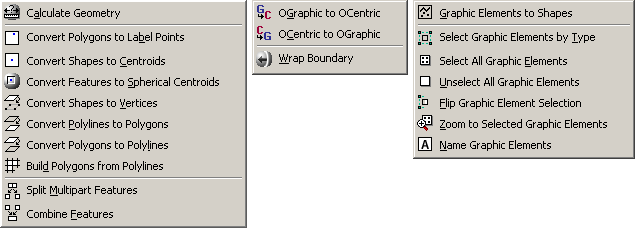
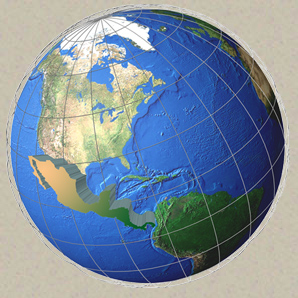
Among many other functions, this extension offers tools for calculating the true area and centroid of polygons as they lay on the sphere, thereby avoiding errors caused by projection distortions. This extension also offers tools to calculate true lengths of polylines as they lie on the spheroid, using Vincenty’s equations. This manual thoroughly explains all algorithms used to calculate geometric attributes on the sphere and spheroid.
This extension also includes a tool to create a new
shapefile from within ArcMap, either by creating an empty shapefile or
by converting graphics.
Output: Several tools produce point, multipoint, polyline
or polygon shapefiles. Some geometry tools produce new shapefiles while
others add new fields to attribute tables.
Recommended Citation Format: For those who wish to cite this extension, the author recommends something similar to:
Jenness, J. 2011. Tools for Graphics and Shapes: Extension for ArcGIS. Jenness Enterprises. Available at: http://www.jennessent.com/arcgis/shapes_graphics.htm
Current Citation List (from Google Scholar):
| Tools for Graphics and Shapes |
Requires:
ArcGIS 9.1 or better (at any license level) or ArcGIS 10. The "Build Polygon" function requires ArcView 9.2 or newer. This extension has not been tested with ArcGIS 9.0, and I am sure it will not work with ArcGIS 8.x.For detailed instructions on installation and operation, view the on-line PDF version of Tools for Graphics and Shapes Manual
Acknowledgements
Partially funded by the US Geological Survey, Astrogeology Team (http://astrogeology.usgs.gov/).
Revisions
Version 1.0
| Build 1.0.291 (January 1, 2008): Initial Release | |
| Build 1.0.293 (January 2, 2008): Minor aesthetic changes to dialogs; fixed some typos in manual. | |
| January 3, 2008: Corrected typo in manual. |
Version 1.1
Build 1.1.73 (January 9, 2008):
| |||||||||||||||||
| Build 1.1.76 (January 10, 2008) Corrects a bug where the Spheroidal Length was being written to the wrong field. | |||||||||||||||||
Build 1.1.85 (March 28, 2008)
|
Version 2.0
Build 2.0.57 (February 12, 2009)
| |||||||||||||||||||||||
Build 2.1.72 (October 21, 2010)
| |||||||||||||||||||||||
Build 2.1.72 (March 13, 2011)
| |||||||||||||||||||||||
Build 2.1.80 (April 11, 2011)
| |||||||||||||||||||||||
Build 2.1.81 (May 12, 2011)
| |||||||||||||||||||||||
Build 2.1.82 (May 12, 2011)
| |||||||||||||||||||||||
Build 2.1.85 (June 1, 2011)
|
Enjoy! Please contact the author if you have problems or find bugs.
Jeff Jenness jeffj@jennessent.com
Jenness Enterprises http://www.jennessent.com
3020 N. Schevene Blvd. (928) 607-4638
Flagstaff, AZ 86004
USA
Please visit Jenness Enterprises ArcGIS Tools site for more ArcGIS tools and other software by the author. We also offer GIS consultation services for both ArcGIS and ArcView 3.x to help you meet your specific data analysis and application development needs.